01
Requirements & Data Design
Define what you’re building, prioritise scope and model the data behind it. Refine requirements with AI, preserve versions, and turn selected text into delivery tickets.
Scope shapes data. Data refines scope.
Bring scope, estimates, delivery and project health into one connected workspace. Keep your team aligned and spot risks as work happens.
Even in the age of AI, powerful tools alone don’t make software projects succeed. Success takes all stakeholders working toward shared goals, supported by clear processes, timely insight and connected tools.
Divblox brings these together to improve the chances of successful software delivery, combining requirements, planning, delivery and reporting with a distinctive Project Health Questionnaire that uncovers gaps and flags risks early, so teams can act before problems derail delivery.
How it works
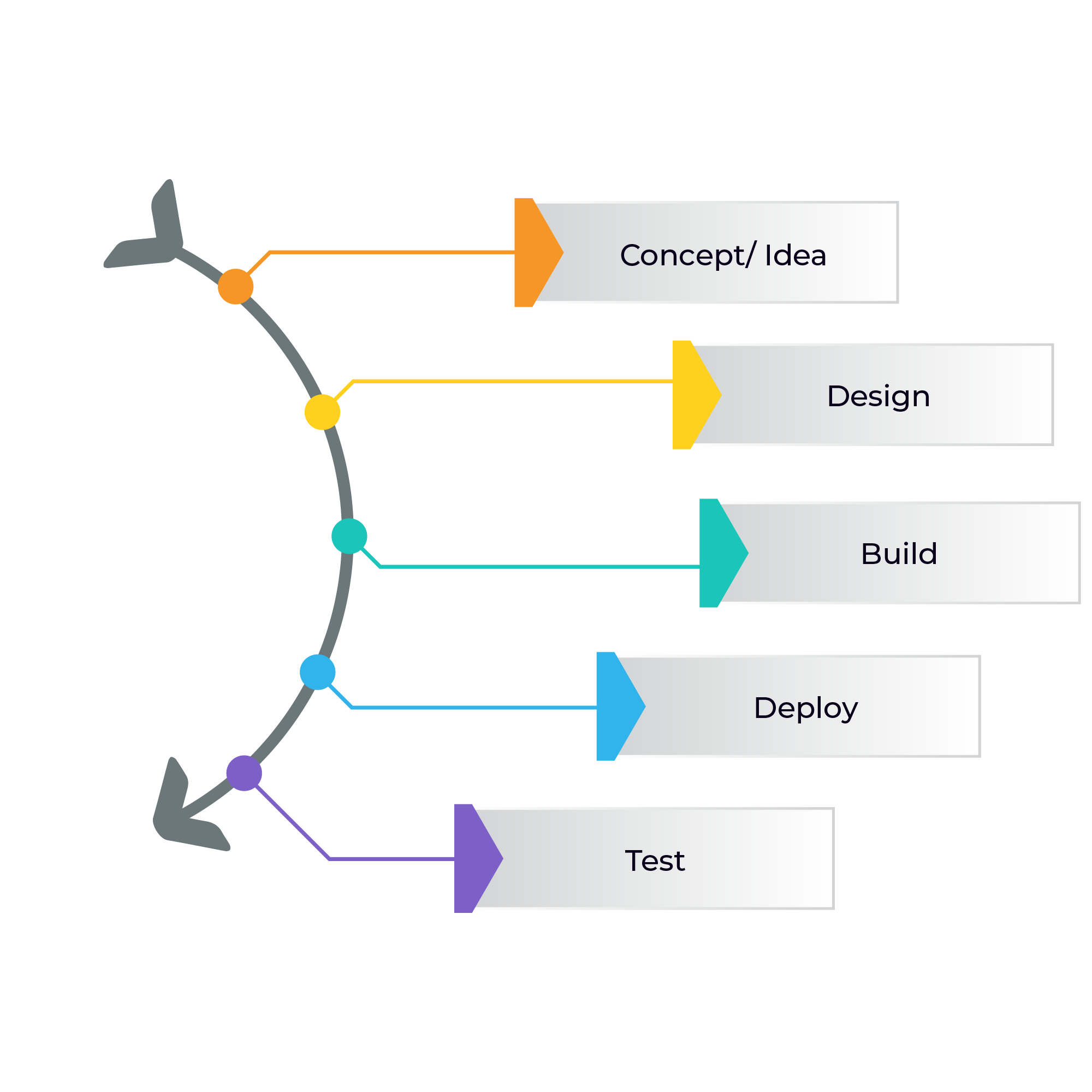
Follow a software team adding a new feature to its own software project: letting users invite teammates to the app by email. The team uses Divblox to plan, build and release this feature, then improve it through feedback.
01
Define what you’re building, prioritise scope and model the data behind it. Refine requirements with AI, preserve versions, and turn selected text into delivery tickets.
02
Bring your team together to agree on the complexity of each piece of functionality. Those shared estimates inform how long the work will take, helping you plan realistic delivery dates and meet deadlines with confidence.
03
Move tickets through development with decisions, checklists, attachments and activity kept together. Everyone can see the work and its context.
04
As your team moves tickets through Delivery, Project Health automatically turns that activity into reports. This connected environment keeps progress visible as work happens, helping you understand what your team is doing and spot bottlenecks early.
Governance in practice
Healthy delivery takes more than tracking tickets. The Project Health questionnaire helps your team regularly check the conditions that make a project successful.
05
Capture feedback with screen and environment context. Turn it into the next requirement or an urgent delivery ticket.
AI can help you explore an idea quickly. Divblox helps your team carry it into production with shared decisions, a clear plan and visibility of risks.
Keep requirements, discussions and delivery tickets together so your team understands what to build and why.
Bring scope, team estimates and delivery progress into one workspace. Adjust the plan as the work evolves.
Use delivery reporting and regular governance checks to spot concerns, agree on actions and follow through.
Before you begin
Teams managing the journey from software requirements to production and support. It brings planning, delivery, reporting and governance into a connected workspace.
Set up your project workspace and invite your team with the appropriate roles and permissions. Capture and prioritise your requirements so the team can agree what to build next.
Project Health uses activity from Delivery to inform reports. Governance questionnaires are separate checks that help your team review readiness, surface concerns and follow up.
Project Health reports can be exported as CSV or JSON for further analysis. This applies to reporting data; ask us about other data export needs.
Your team builds the software. Divblox connects the requirements, data design, estimation, planning, delivery and support around that work, with AI assistance for activities such as refining requirements and summarising reports.
Questions about pricing or your team's setup? Contact support@divblox.com.
One workspace for your team’s plans, delivery and project health.